
For finance & management
One ledger under every department — and control over what reaches it
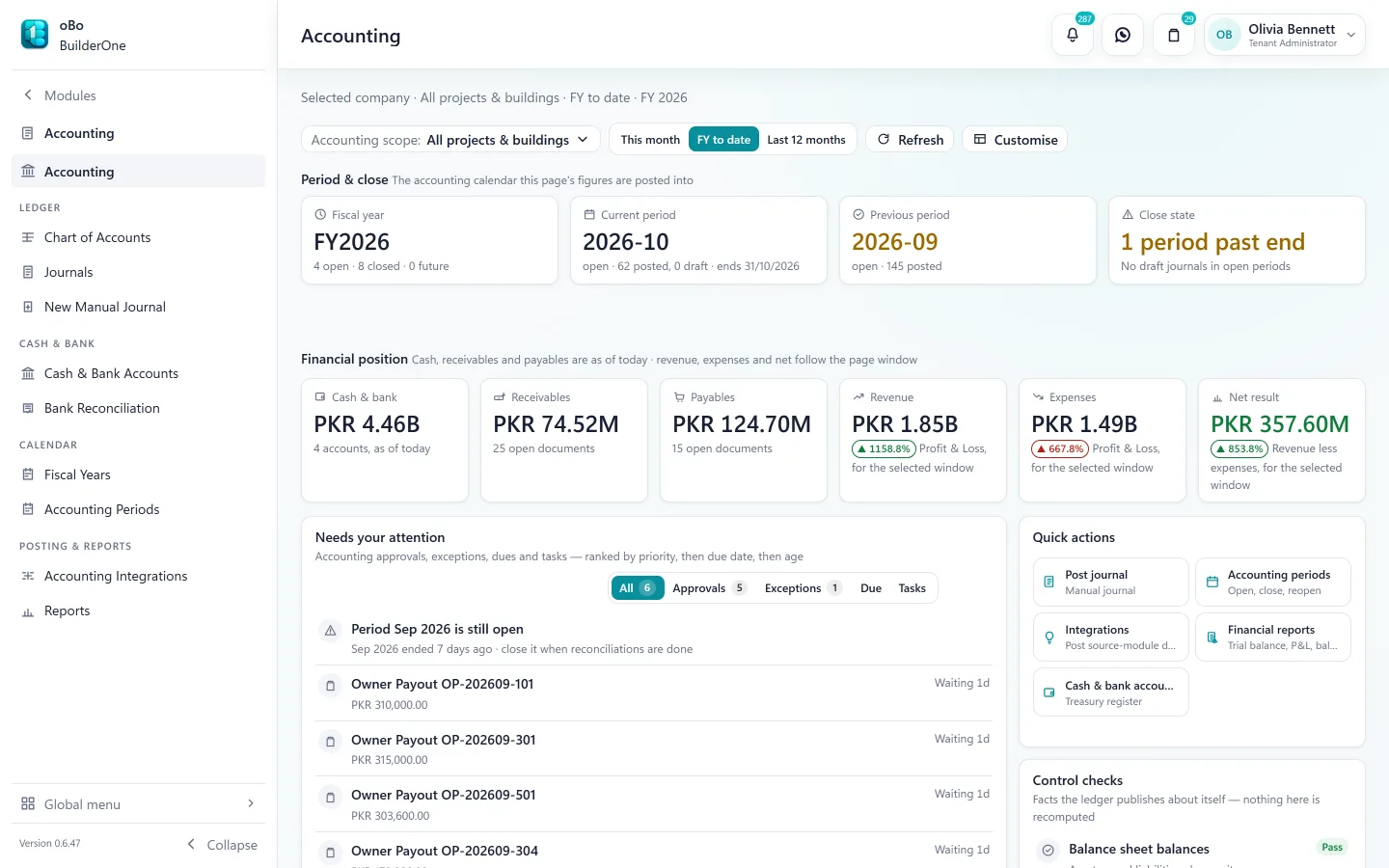
Sales, rent, site and payroll documents arrive in Accounting already mapped to accounts, project and period. You review, post and report — instead of re-entering.
The change
From re-keying to reviewing
How it usually runs today
- Operations run in one system, accounts in another
- Month-end is spent typing summaries into the ledger
- A figure changes after it has been reported
- Project profit needs a separate workbook
- Nobody can say who approved a payment
How it runs on BuilderOne
- Operational documents are the source of accounting entries
- A posting queue shows what is ready — post one, or a selection together
- Closed periods refuse postings; corrections are reversals
- Profit & loss and balance sheet can be scoped to a project
- Approval history sits on the document itself
How entries reach the ledger
Prepared by the system. Posted by Finance.
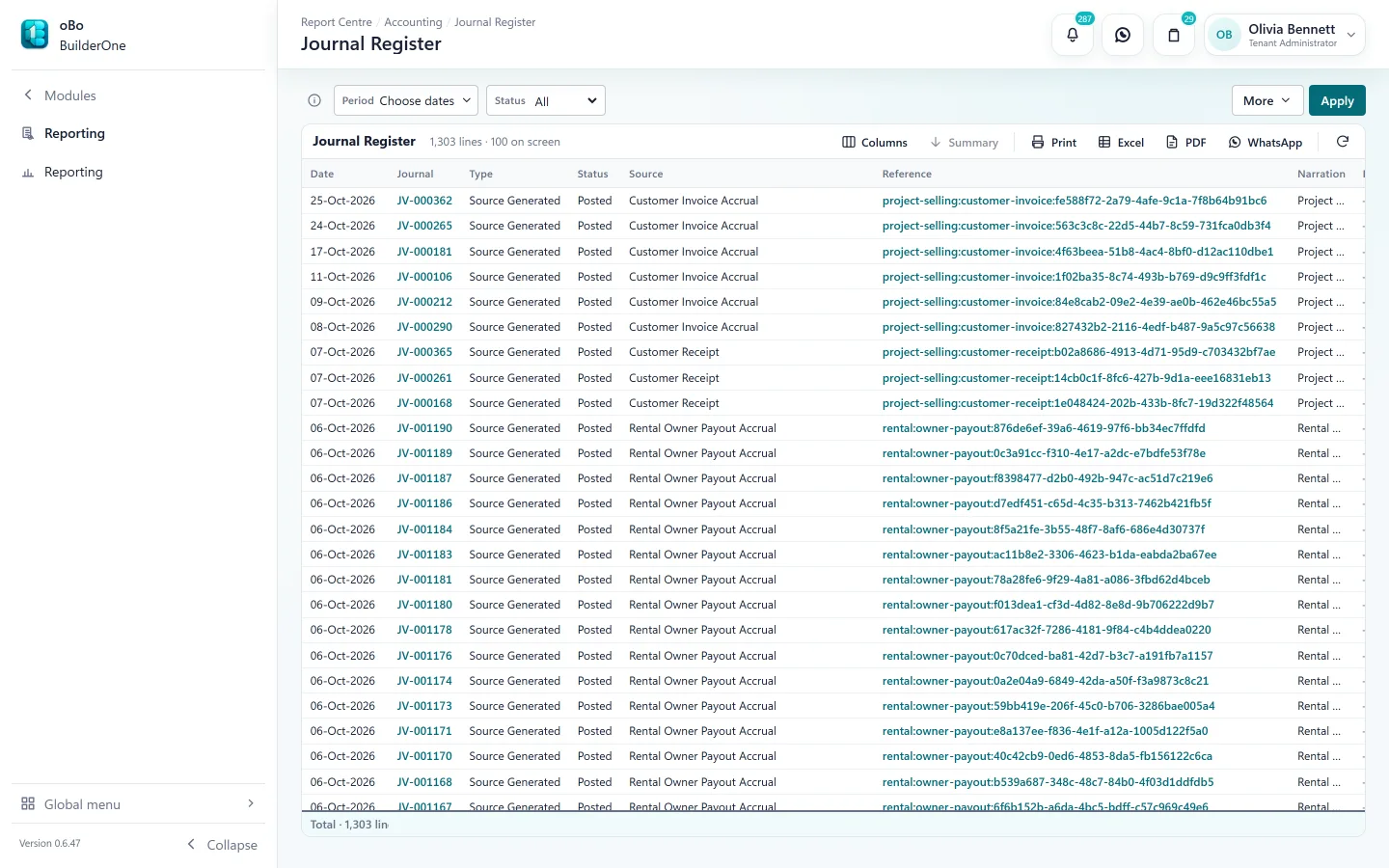
Every source document knows its accounts through mappings you control. It waits in Accounting Integrations until Finance posts it — so the ledger never changes behind your back.
- Receipts, invoices and accruals from Project Selling and Rental
- Contractor and vendor bills and payments from Construction and Procurement
- Payroll, loans and final settlements from HR & Payroll
- Depreciation, investor transactions and owner payouts
- Each entry links back to its source and can be reversed with a linked journal
The accounting core
A complete general ledger, not a bolt-on
Always included with BuilderOne, whichever other modules you run.
Chart of accounts and journals
Your own chart, or start from the default. Manual journals with reversals.
Fiscal years and periods
Open, soft-close and hard-close periods. A closed period will not accept a posting.
Financial statements
Trial balance, profit & loss, balance sheet, general ledger and journal register.
Project and building dimensions
Every journal line can carry a project or building, so statements can be scoped.
Cash, bank and reconciliation
Cash and bank accounts, payment instruments, and bank reconciliation sessions with statement matching.
Currency and tax
Foreign-currency postings with dated exchange rates and realised gain or loss. Configurable tax codes for sales tax, withholding and advance tax.
Controls
Who can do what — and who did
Finance controls are part of the product, not a policy document.
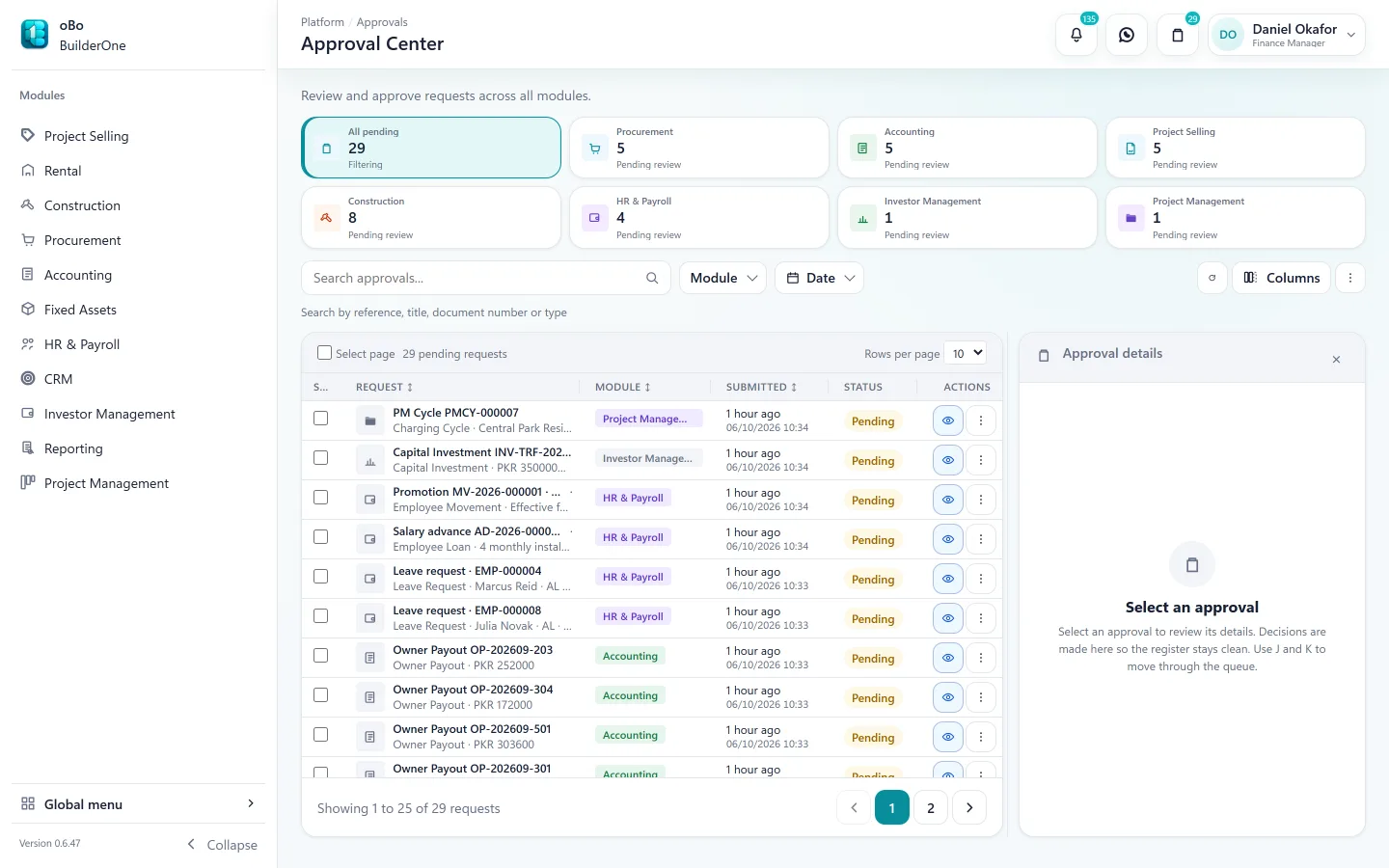
- Approval routes for purchase orders, bills, payroll runs, payouts and more
- Separation of duties — for most documents, the person who raised it cannot approve it
- Custom roles built from individual permissions, per module
- Control checks on the Accounting landing page: does the balance sheet balance, are periods overdue for closing
Payroll and assets
The back office is in the same books
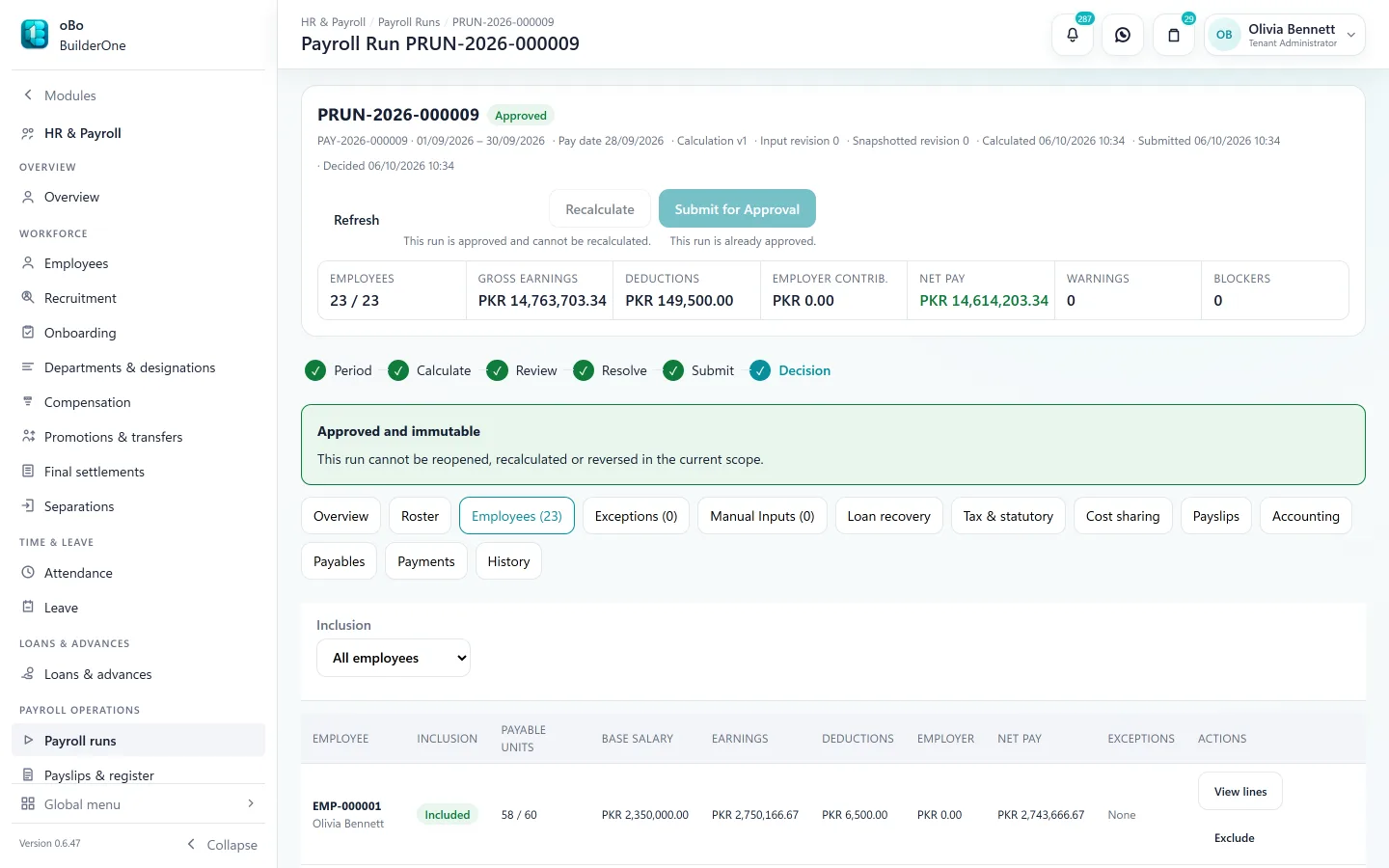
Payroll and fixed assets are usually separate packages with a monthly journal. Here they are modules on the same ledger.
- Payroll runs calculated from attendance, approved, paid and posted
- Salary tax slabs for Pakistan built in; loans and advances recovered through payroll
- Labour cost allocated to projects
- Fixed asset register with straight-line depreciation runs and disposals
Straight answers
Questions buyers ask us
Including the ones where the answer is “not today”.
Does it connect to our bank?
No bank feeds or statement import today. In a reconciliation session you enter statement lines and match them to ledger entries.
Is there a cash flow statement?
Not at company level yet. Trial balance, profit & loss, balance sheet, general ledger and ageing reports are available; Construction has a per-project cash-flow view.
We have several companies. Can we consolidate?
Each company is its own set of books. A user with access to several companies chooses one at sign-in. There is no consolidated reporting across companies.
Does it file our taxes?
No. BuilderOne calculates and records tax using the codes you configure; filing with FBR or a provincial authority happens outside the system.
Do manual journals need approval?
Manual journals post directly, by users whose role allows it. Operational documents — orders, bills, payroll, payouts — are the ones that run through approval routes.
Which depreciation methods are supported?
Straight-line.
See BuilderOne running on a business like yours
A walkthrough of about half an hour with the team that builds it — on your kind of projects, units and billing, not a canned slideshow.
- Tell us what you run. Four fields — it takes under a minute.
- We get back to you to arrange a time that suits you.
- We walk through your workflow — sale, rent, site or books — in the real product.