
Module · HR & payroll
Attendance to payslip to ledger — on the project that paid for it
Employees, attendance and leave feed a payroll run that is approved, paid and posted, with labour cost allocated to the projects people worked on.
How it flows
One payroll cycle
From the attendance register to a posted run.
- Attendance & leave
- Run calculated
- Approved
- Payslips
- Payment batch
- Payroll posted to the ledger
See it
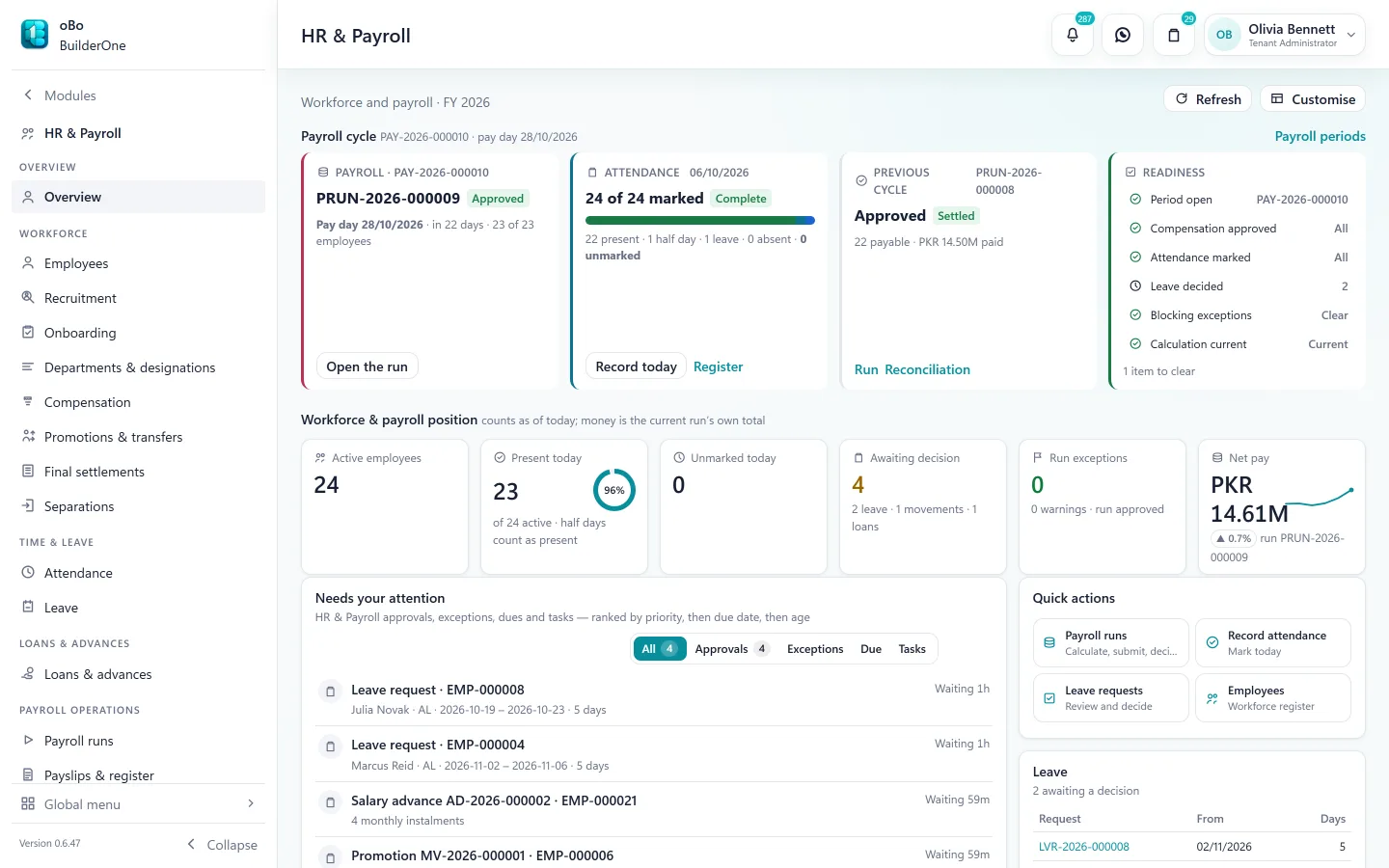
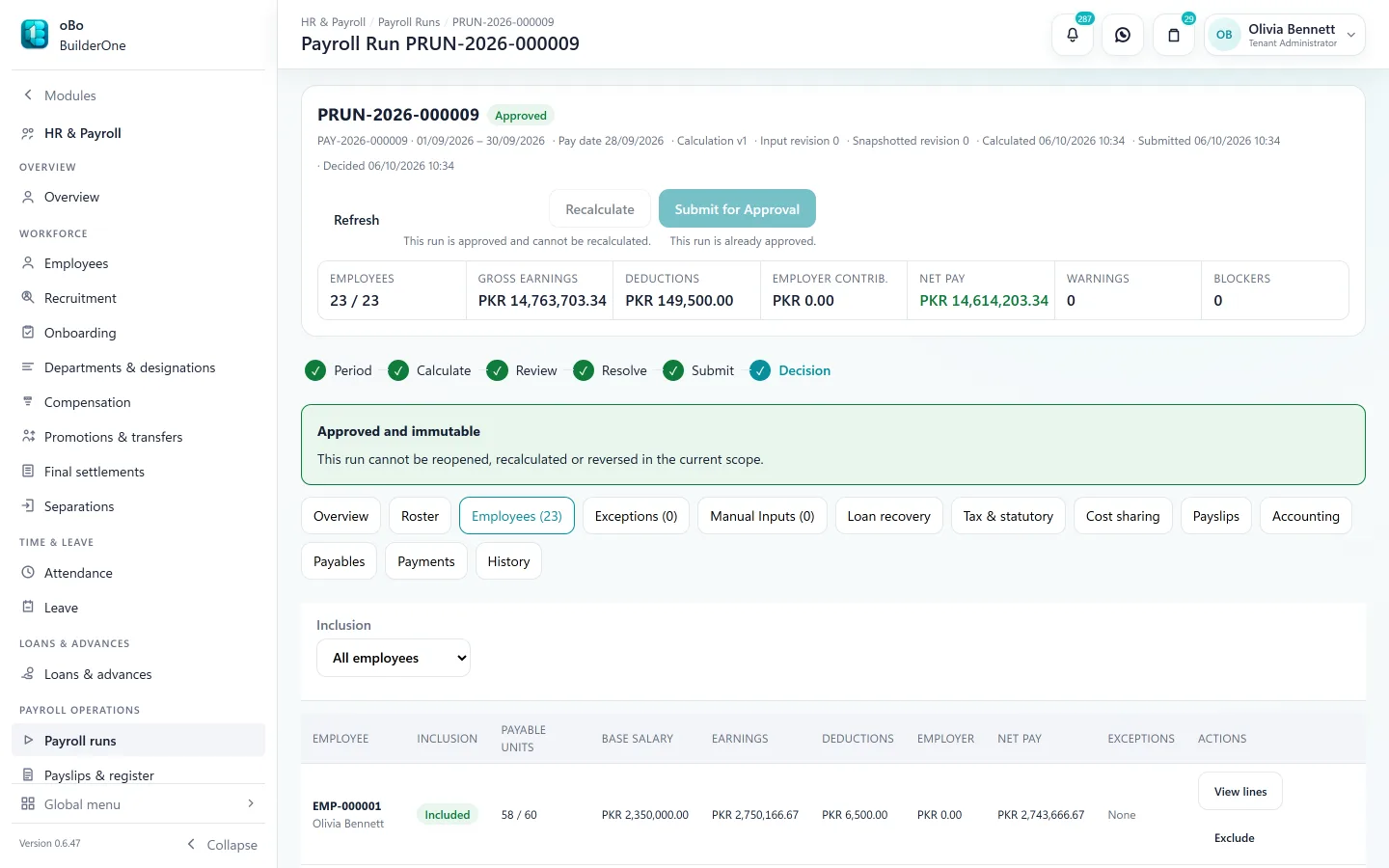
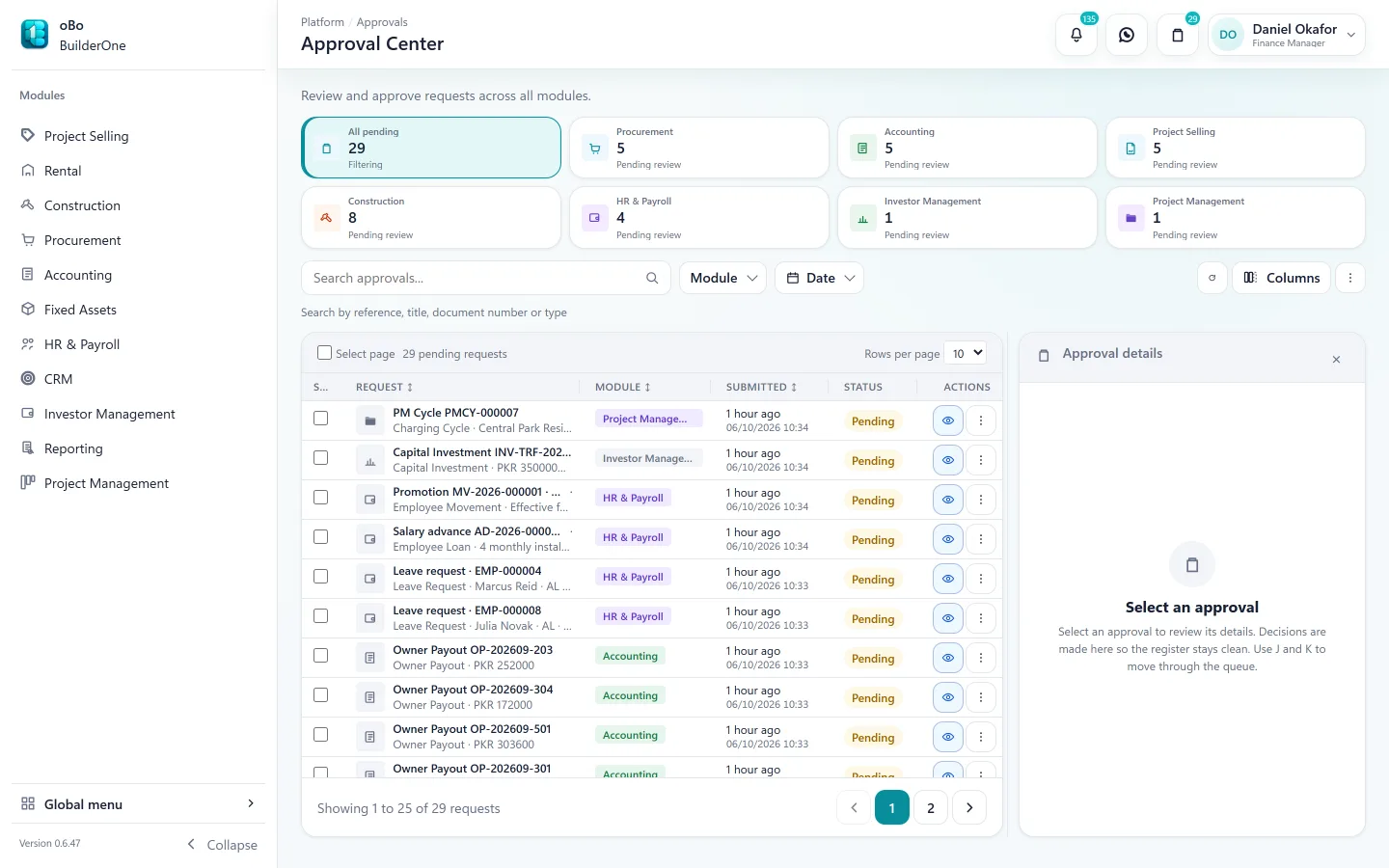
The HR & Payroll screens your team works in
Capabilities
What HR & Payroll covers
Employees and structure
Employee records with departments, designations and compensation.
Attendance
Attendance by day with Excel import, holidays and rest days, and correction where needed.
Leave
Leave policies, balances and requests with approval, feeding attendance and payroll.
Payroll runs
Calculated from attendance and pay components, checked for exceptions, approved, then paid in batches.
Salary tax
Pakistan salary tax slabs built in, with an employee tax register.
Loans and advances
Loans and salary advances with approval, recovered through payroll.
Final settlements
Settlement on separation, calculated and posted like any other payroll document.
Project cost allocation
Labour cost split across the projects people worked on, so project profit includes it.
In the books
What HR & Payroll posts to Accounting
Account mappings decide where payroll lands in your chart of accounts — configuration, not an assumption.
- Payroll run → salary expense by project, net pay and deductions payable
- Payment batch → cash or bank, clearing net pay
- Loans and advances → employee receivable, recovered through payroll
- Final settlement → the amounts due on separation
Reports
Registers and statements included
All exportable to Excel and PDF, or printed.
- Employee register
- Attendance register
- Leave register
- Leave balance register
- Compensation register
- Payroll run register
- Payroll employee results
- Payroll exceptions
- Payroll components
- Payslip register
- Payment batch register
- Employee tax register
- Payroll cost allocation
Works with
- Accounting — runs, payments and settlements post to the ledger
- Construction — labour cost on the project
- Approval Center — leave, advances and payroll runs
- WhatsApp — payslips can be sent to employees
Straight answers
Questions buyers ask us
Specific to HR & Payroll.
Does it handle Pakistani payroll tax?
Salary tax slabs for Pakistan are built in. BuilderOne calculates and records tax; filing happens outside the system.
Can attendance come from our devices?
Attendance can be imported from Excel or CSV and corrected in the register; there is no device integration.
Is there an employee self-service app?
No. There is no mobile app or employee portal; payslips can be sent on WhatsApp.
Keep exploring
Related
- For finance teamsThe back office in the same books.
- AccountingWhere payroll posts.
- ConstructionLabour cost on the project.
Read how the accounting works
See BuilderOne running on a business like yours
A walkthrough of about half an hour with the team that builds it — on your kind of projects, units and billing, not a canned slideshow.
- Tell us what you run. Four fields — it takes under a minute.
- We get back to you to arrange a time that suits you.
- We walk through your workflow — sale, rent, site or books — in the real product.