
The platform
Ten modules. One system underneath.
Most property businesses run on tools that were never designed to agree with each other. BuilderOne was built the other way round: the shared parts first, the modules on top.
Why it matters
Three things every department shares
These are the reason numbers agree between sales, site and accounts.
One record for every party
Customers, tenants, owners, suppliers, contractors, brokers and investors live in one directory. The same firm can be a supplier and a contractor without being entered twice.
One project on every transaction
A sale, a purchase order, a contractor bill and a payroll allocation can all point at the same project — so cost and revenue meet in one report.
One set of books
There is one general ledger. Modules do not keep their own totals that have to be reconciled to it later.
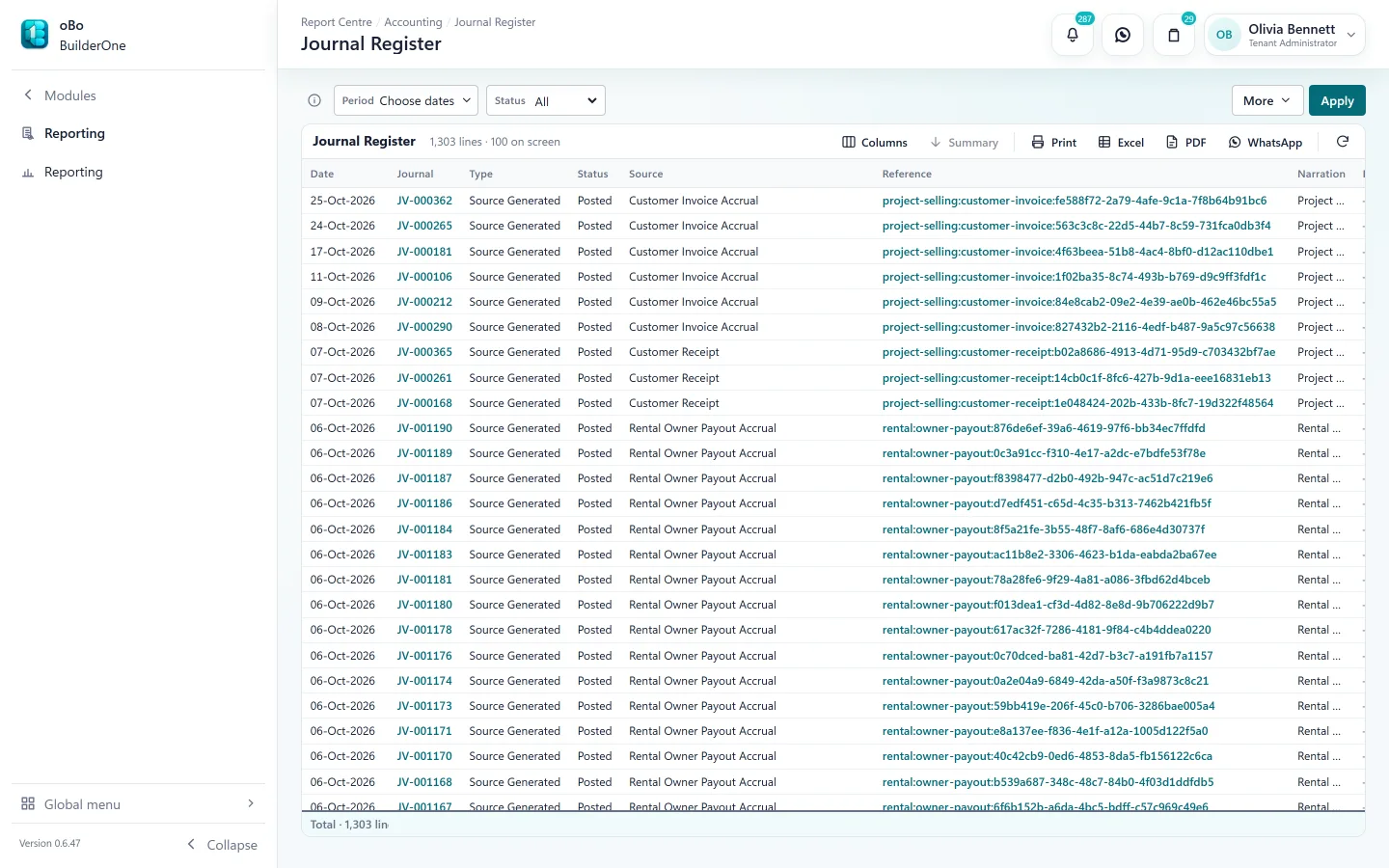
Connected accounting
Operational activity and accounting in one system
When work happens in a module, the accounting entry for it is prepared from the document itself. Finance posts it from a single queue.
- Sales — installment invoices, receipts, cancellations, refunds, commissions, revenue at handover
- Rental — rent invoices, receipts, security deposits, owner charges and payouts
- Construction & procurement — contractor and vendor bills, payments, client receivables
- People & assets — payroll, loans, final settlements, depreciation
- Reversible and traceable — every journal names its source document
Workflow & approvals
Decide once who approves what
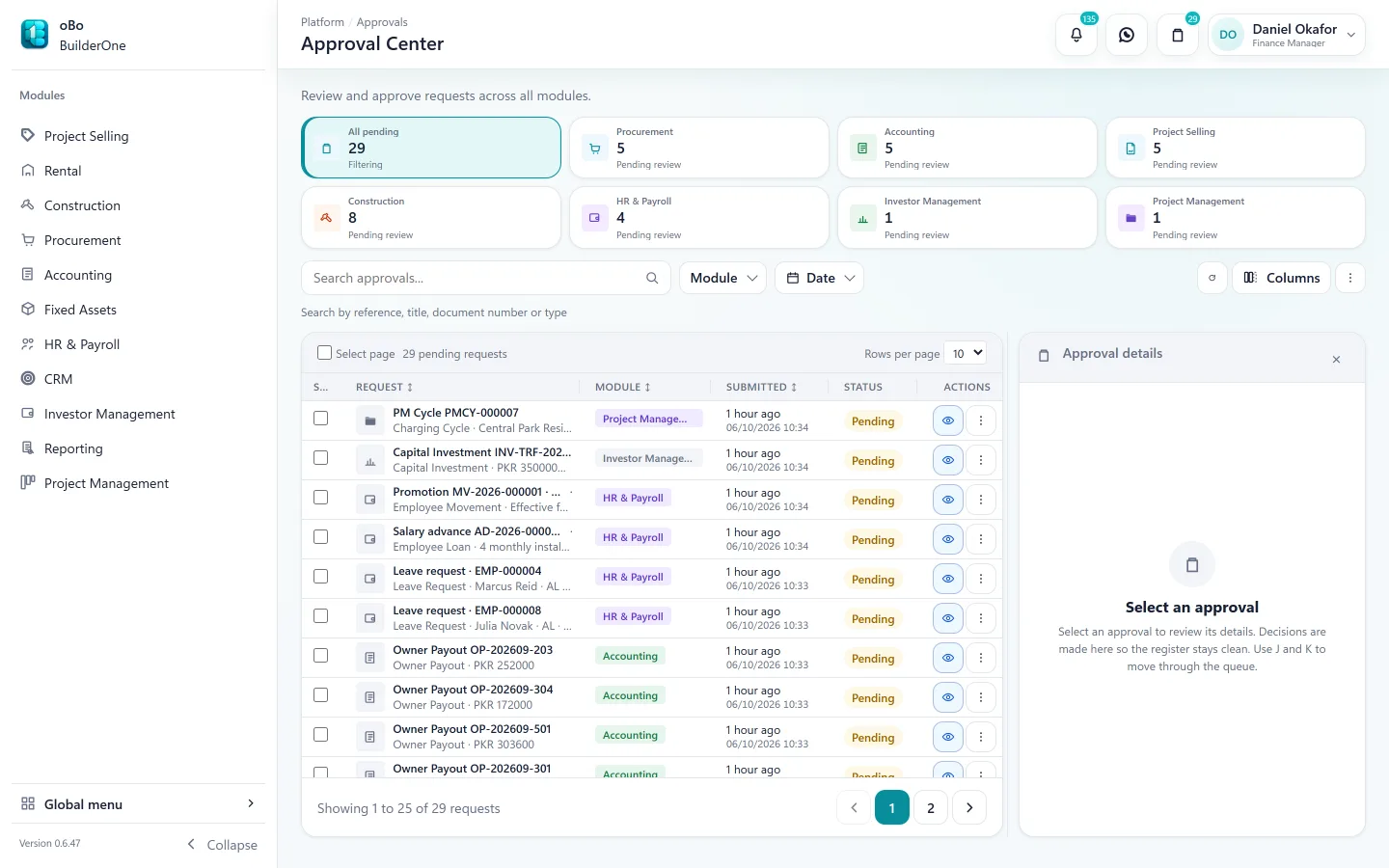
An administrator sets the approval route for each kind of document. After that, each step goes to the right person and shows when it is overdue.
- Routes of up to six steps, each a “check” or an “approve”
- Assign a step to a person or a role, with a substitute for absences
- Step due dates, and notifications to each approver and the submitter
- Amount bands for procurement and a threshold for contractor bills
- Rejection returns the document to the person who raised it, with the reason
- Configurable approval workflows across key ERP transactions — purchasing, contractor bills, payroll, leave, loans, sales agreements, investor transactions, owner payouts and more
Reporting & dashboards
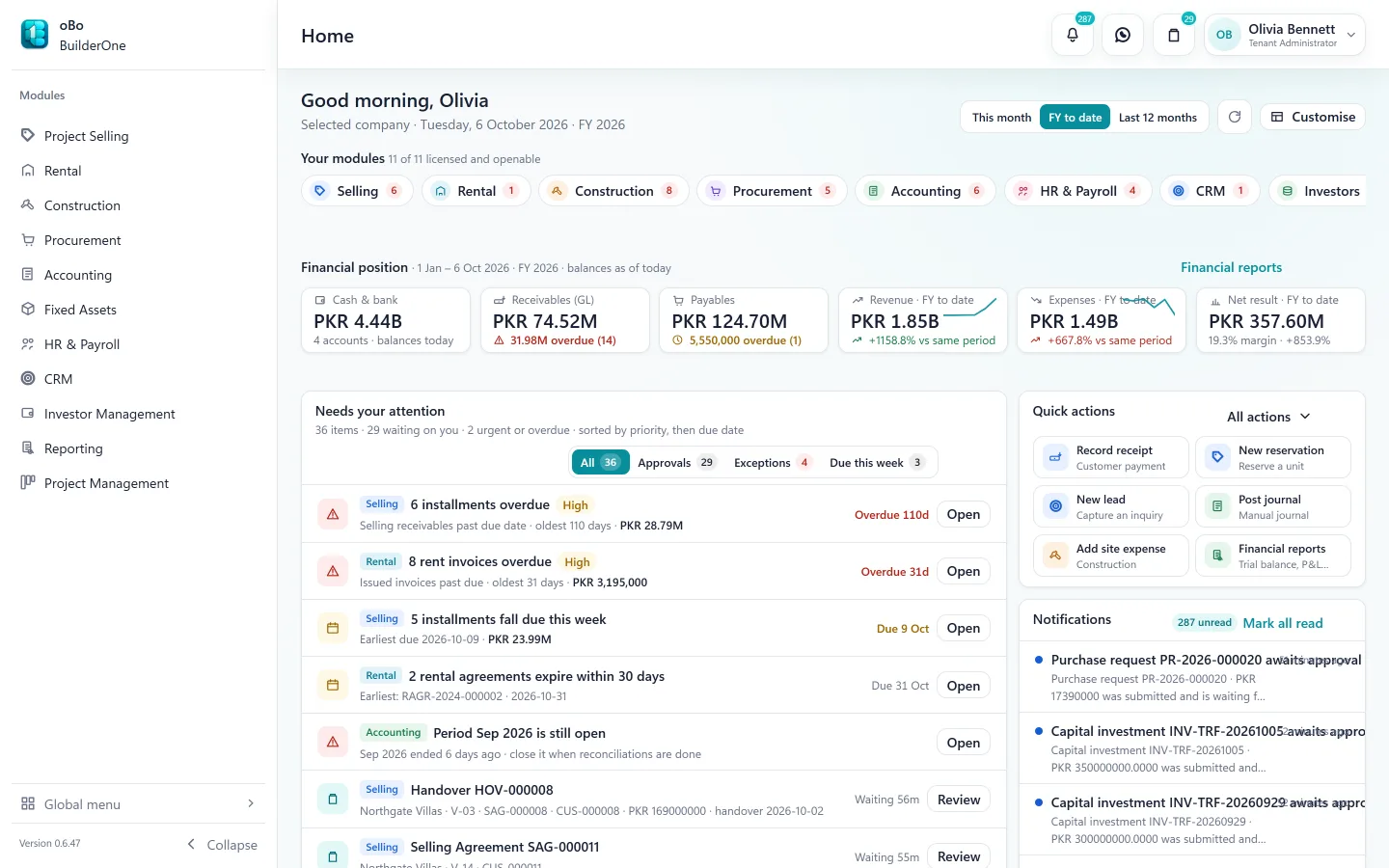
A library of reports, and a Home that knows your job
Reports are listed in one place and filtered to what your role and your company’s modules allow. The Home screen shows today’s priorities across everything you can access.
- 100+ reports across ten business areas, from trial balance to rent roll
- Excel, PDF and print from every report
- Favourites and recent runs remembered per user
- Home you can arrange — widgets, density and quick links
- A landing page per module with its position, queues and shortcuts
- Share a report on WhatsApp from the report itself
Roles & controls
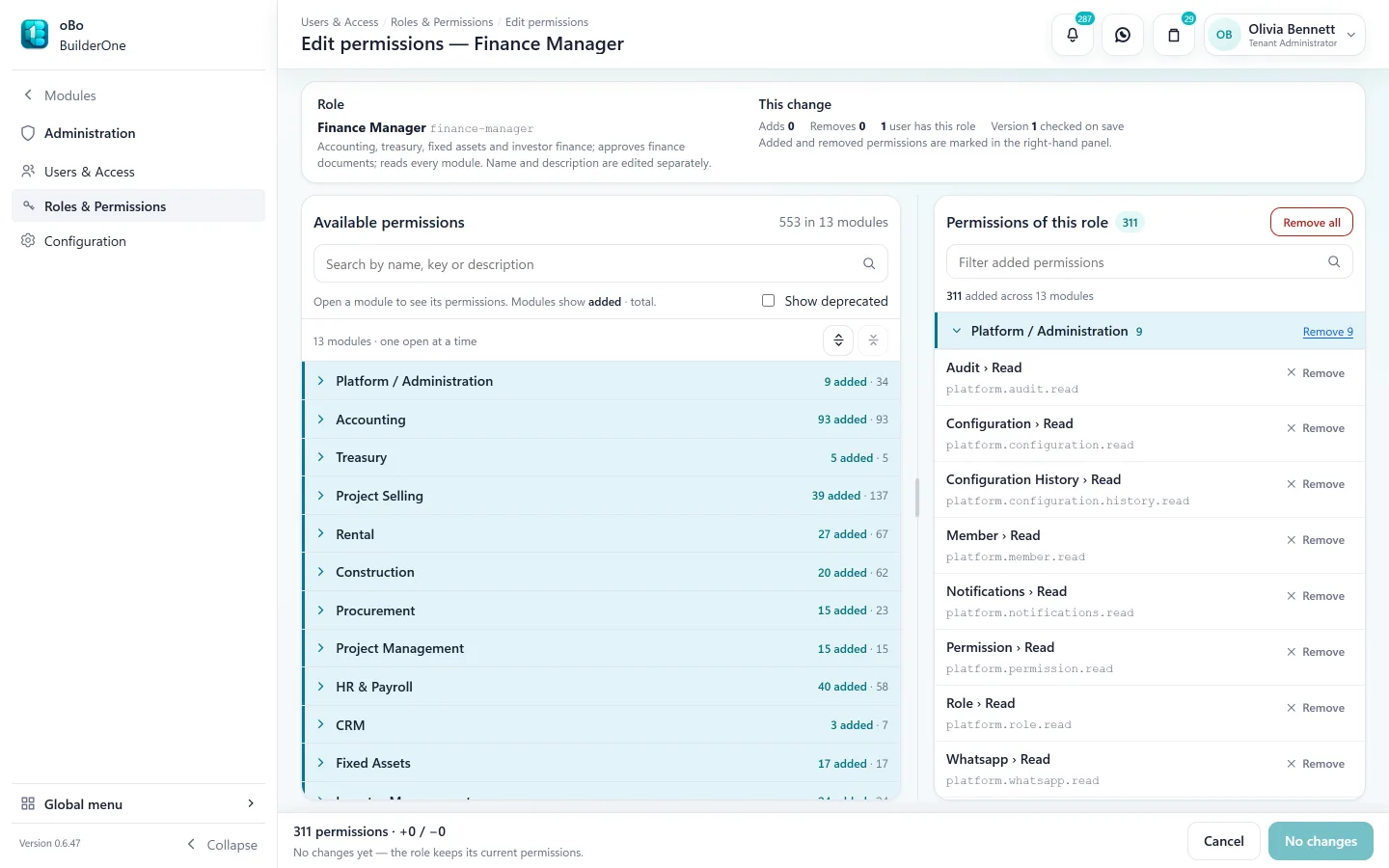
Give people exactly the access their job needs
Start from a role, add the permissions it needs, and assign it. People only see the modules, screens and reports they hold.
- Custom roles — create, clone and edit; hundreds of individual permissions grouped by module
- Access checked on every screen and action, not just hidden in the menu
- Company data isolated in the database, so one company can never read another’s records
- A tamper-evident audit trail behind business events, plus history on each document
- Session control — see and revoke your active sessions
Your customers are on WhatsApp. So is BuilderOne.
Send what people are waiting for without leaving the system or attaching files by hand.
- Invoices, receipts and statements shared from the document
- Payslips delivered to employees
- Purchase orders and RFQs sent to suppliers
- Payment reminders in batches
- A conversation inbox linked to your contacts
- Two ways to connect — WhatsApp on your desktop, or the WhatsApp Business API
Setup & support
Set up with you, not left to you
BuilderOne is not a sign-up-and-figure-it-out product.
We provision your company
We create your company, switch on the modules you license and send your administrator an activation link.
Pay for what you run
Accounting is always included. Other modules and user seats are licensed per company.
Migration from PBooksPro
For existing PBooksPro customers we plan the migration with you during setup — master data, rental and construction history.
Cloud, in your browser
Nothing to install. Built for desktop and laptop screens.
One team
The people who answer your questions are the people who build the product, in Islamabad.
Honest scope
Everything on this site exists in the product today. Where the answer is “not yet”, we say so.
Moving from spreadsheets or a separate accounting package?
Migrating from Excel to a property ERPFrom accounting software to a property ERPSee BuilderOne running on a business like yours
A walkthrough of about half an hour with the team that builds it — on your kind of projects, units and billing, not a canned slideshow.
- Tell us what you run. Four fields — it takes under a minute.
- We get back to you to arrange a time that suits you.
- We walk through your workflow — sale, rent, site or books — in the real product.