
For builders & general contractors
Know what every project has cost, what it has earned and what it still owes
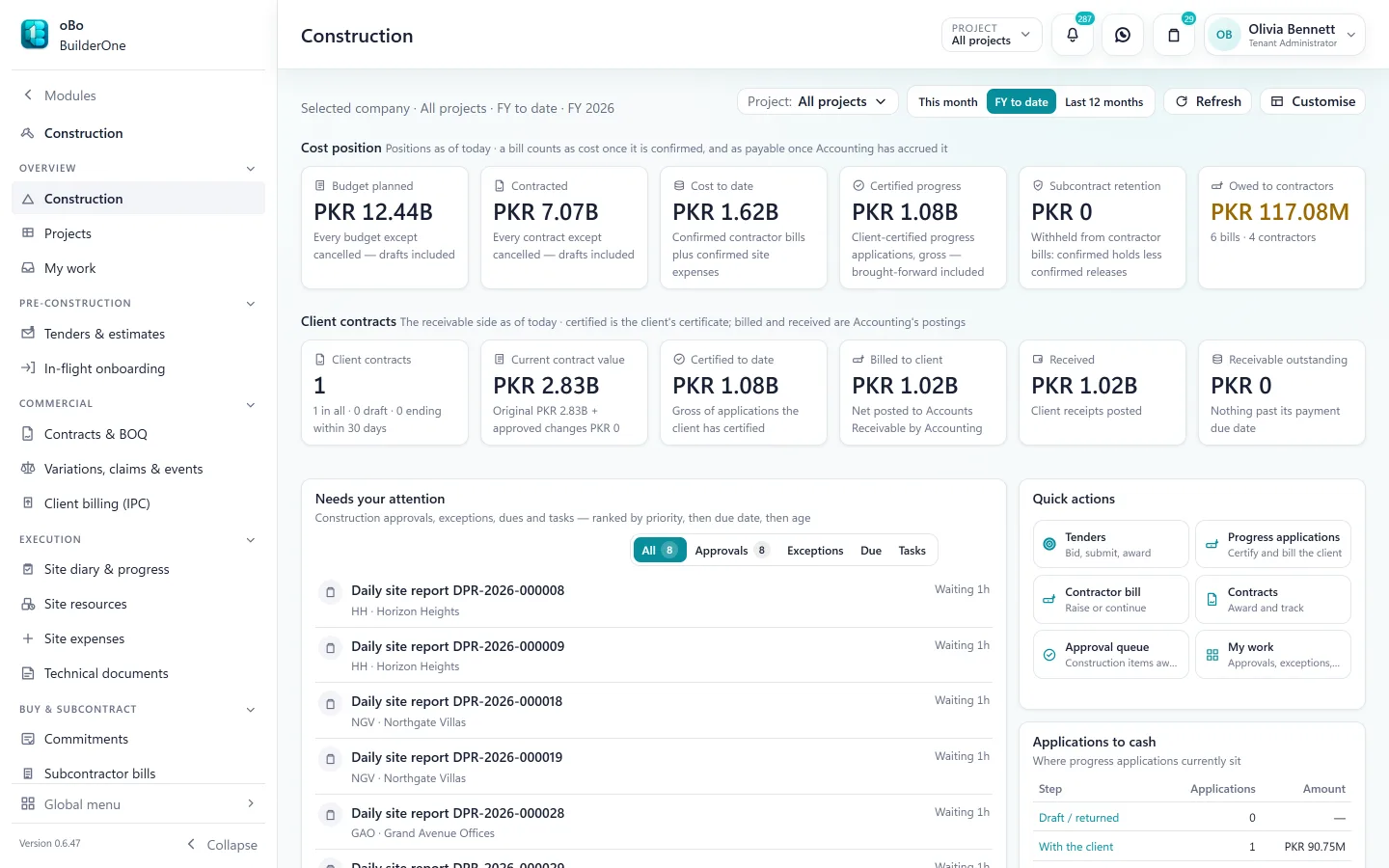
Contracts, measurements, bills, retention and purchasing sit against the project budget — whether you pay contractors as a developer or bill clients as a contractor.
The change
From “roughly on budget” to a number you can defend
How it usually runs today
- Contractor bills are checked against a paper BOQ
- Retention and advances are tracked in a side ledger
- Material is ordered by phone and matched to bills later, if ever
- Cost reports arrive weeks after the money is spent
- The site, the office and the accountant each hold a different total
How it runs on BuilderOne
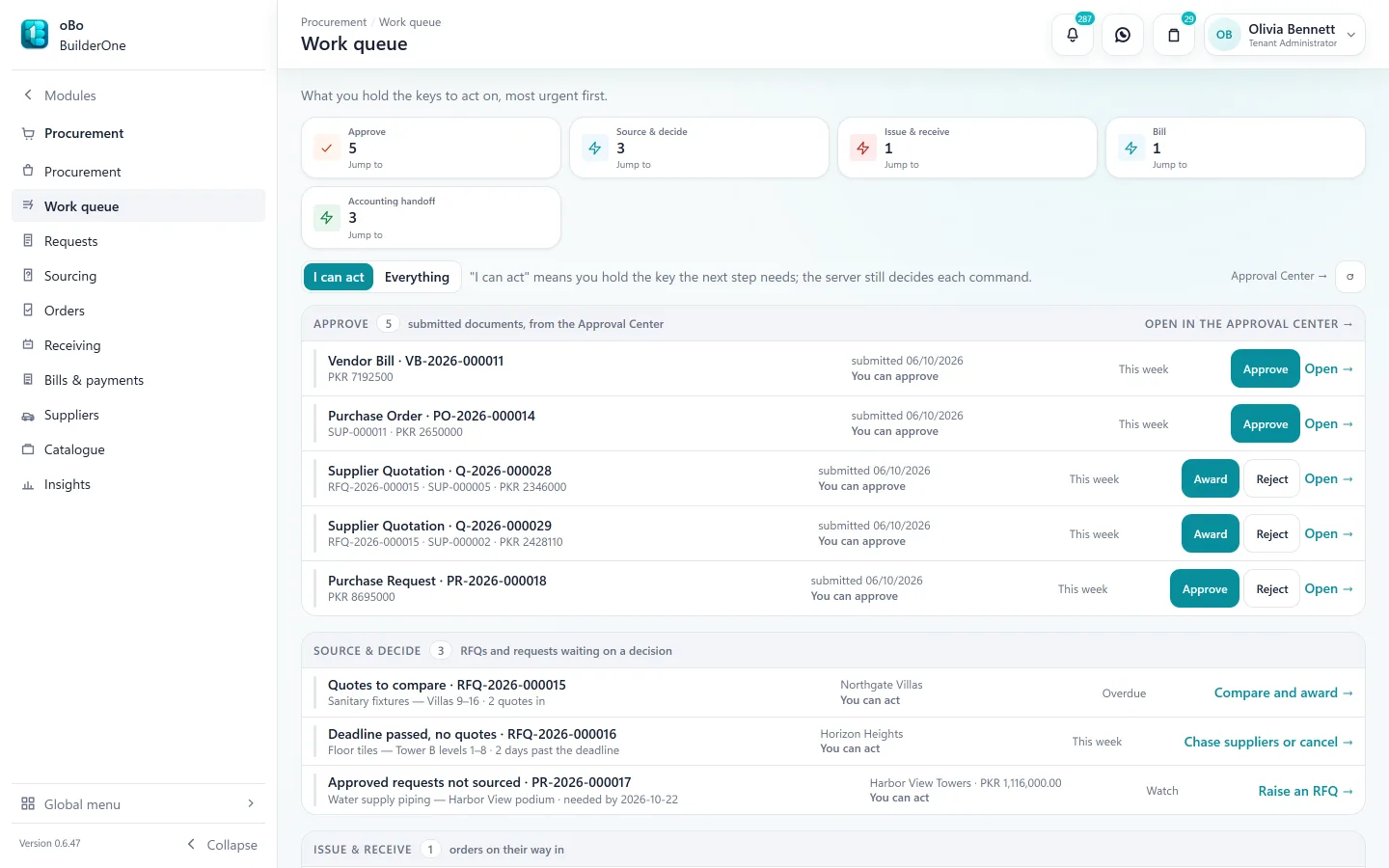
- Bills are raised against the contract and can be capped at certified measured quantities
- Advances are recovered at payment; retention is held and released against each bill
- Every order starts as a request and ends as a matched vendor bill
- Budget against cost by category, as bills are confirmed
- One project record shared by site, commercial and finance
The cost side
From budget to paid contractor
The path most construction money takes — with approvals where they belong.
Budget
Set the project budget by cost category. Later changes are budget revisions with an approval, not overwritten numbers.
Contract and BOQ
Record the subcontract with its bill of quantities, payment terms, advance and retention terms.
Measurement
Measure work done against BOQ items. Variations and claims are tracked as their own documents.
Contractor bill
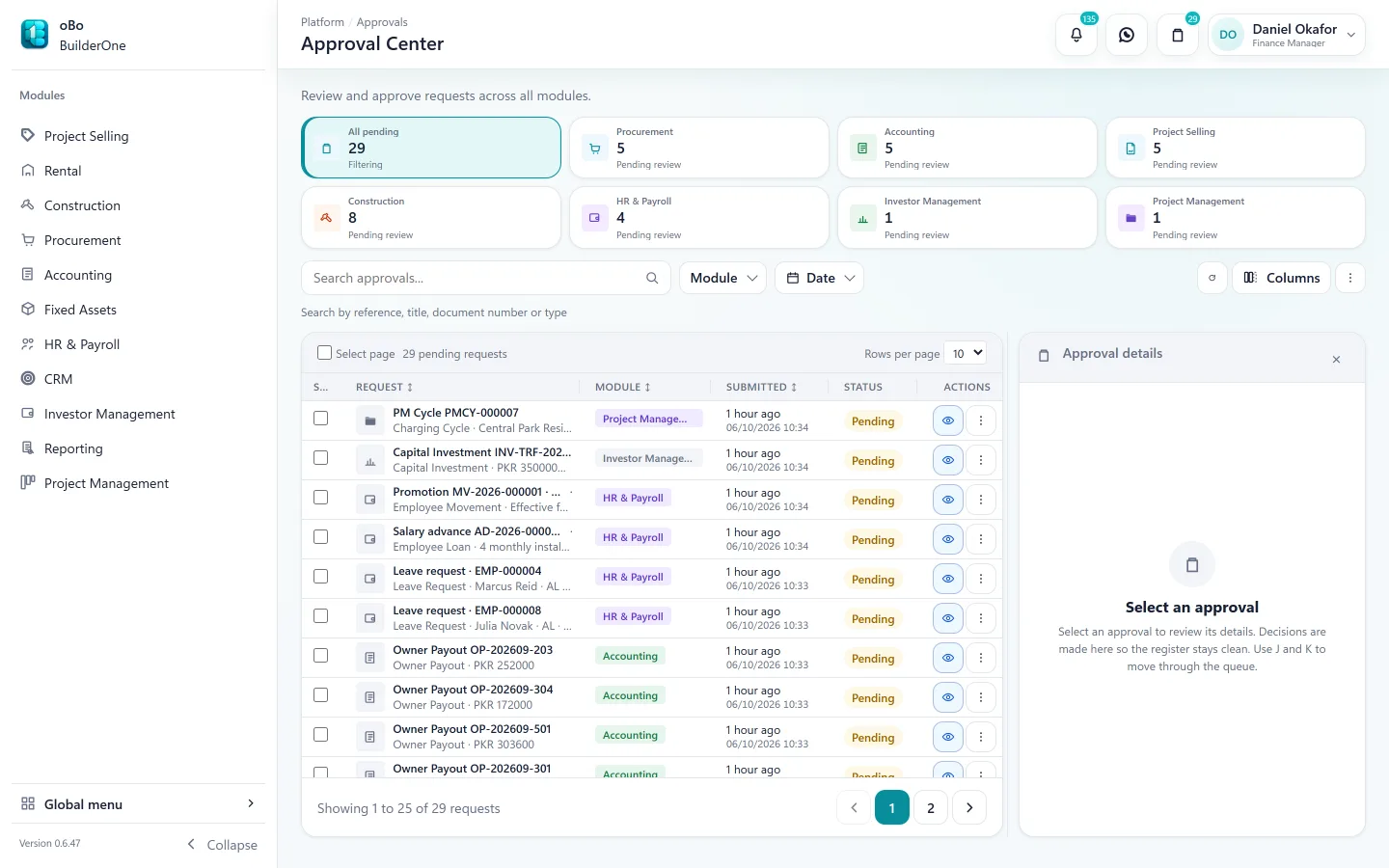
Raise the bill against the subcontract — capped at certified measured work where the subcontract pays on certification — and route it for approval. Retention is held against it; advances are recovered when it is paid.
Bill accrued in the ledgerMaterials
Request → RFQ → compare quotes → purchase order → receipt → vendor bill, each bill raised from an approved receipt and checked against the order’s price.
Vendor bill accrued in the ledgerPayment
Pay the contractor or supplier. Cash and advance recovery settle in a single entry.
Payment posted to the ledgerRetention release
Retention stays visible per contract until it is released at the end of the defects period.
Across the project lifecycle
From tender to handover
The Construction module is organised the way a project runs.
Pre-construction
Tenders and estimates, and onboarding for projects that are already in progress.
Commercial
Client and subcontract contracts, BOQ, variations, claims, securities and client billing (IPC).
Site execution
Site diary and progress, site stores, timesheets, equipment logs and site expenses.
Technical records
RFIs, submittals, drawings and site instructions in one register.
Quality and HSE
Inspection plans and requests, non-conformance reports, permits, incidents and toolbox talks.
Cost and closeout
Budgets, cost control, revenue recognition for contracts, final accounts and defects periods.
If you build for clients
The client side is in the same project
General contractors bill upward as well as paying downward. BuilderOne keeps both directions on one project so margin is visible.
- Client contracts and progress applications (IPCs) with certification
- Client retention and advances tracked separately from subcontract ones
- Contract revenue recognition by cost-to-cost, certified progress or manual progress
- Certified work becomes a receivable in the ledger
Straight answers
Questions buyers ask us
Including the ones where the answer is “not today”.
Is there an inventory or warehouse module?
There is no separate warehouse module. Construction includes site stores — stock received from purchase receipts, issued, transferred, wasted and counted per project. Store quantities are for project control and do not post to the ledger.
Can site staff use it on a phone?
BuilderOne is built for desktop and laptop browsers. Site offices use it on a laptop; there is no mobile app.
Can we raise a purchase order without quotations?
Purchase orders are created from an awarded quotation, so every order has a recorded price basis. Site expenses cover small direct purchases.
Do purchase approvals depend on the amount?
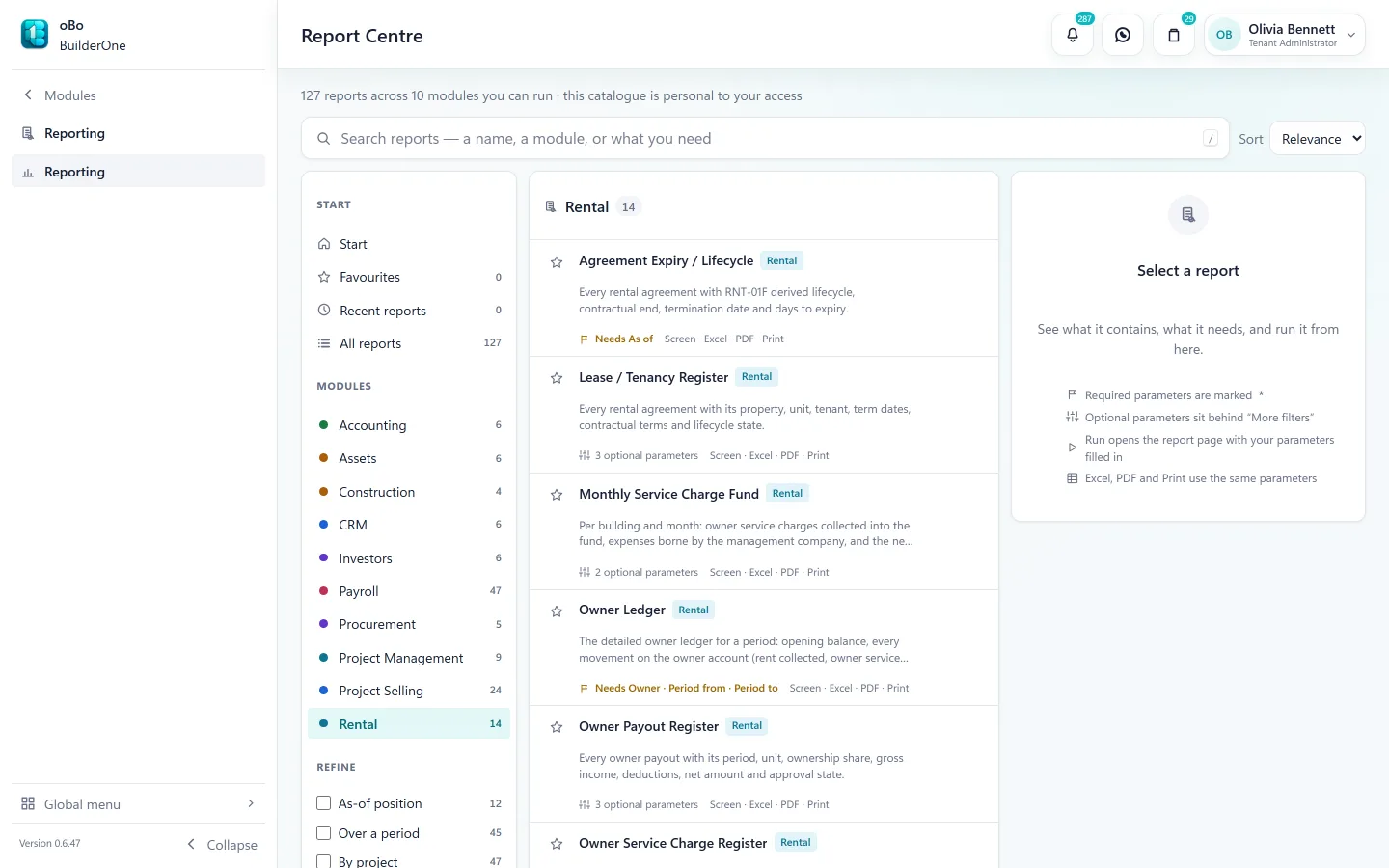
Yes. Procurement has approval bands by amount, and contractor bills have a threshold, on top of the approval routes you configure.
We have projects half-built. Can we start with those?
Yes. In-flight onboarding brings a running project in with its contracts and opening balances.
See BuilderOne running on a business like yours
A walkthrough of about half an hour with the team that builds it — on your kind of projects, units and billing, not a canned slideshow.
- Tell us what you run. Four fields — it takes under a minute.
- We get back to you to arrange a time that suits you.
- We walk through your workflow — sale, rent, site or books — in the real product.