
Module · Real estate CRM
Every enquiry worked to a decision — and handed on without retyping
Capture leads, assign them, follow them up and work each deal through your own pipeline. When a deal is won, the customer, tender or tenant appears in the module that takes it from there.
How it flows
From first enquiry to hand-off
One open pursuit per lead, moving through stages you configure.
- Lead
- Assigned
- Follow-ups
- Deal stages
- Won
- Handed to Selling, Construction or Rental
A lost deal is recorded with its reason, so the pipeline and the win rate stay honest.
See it
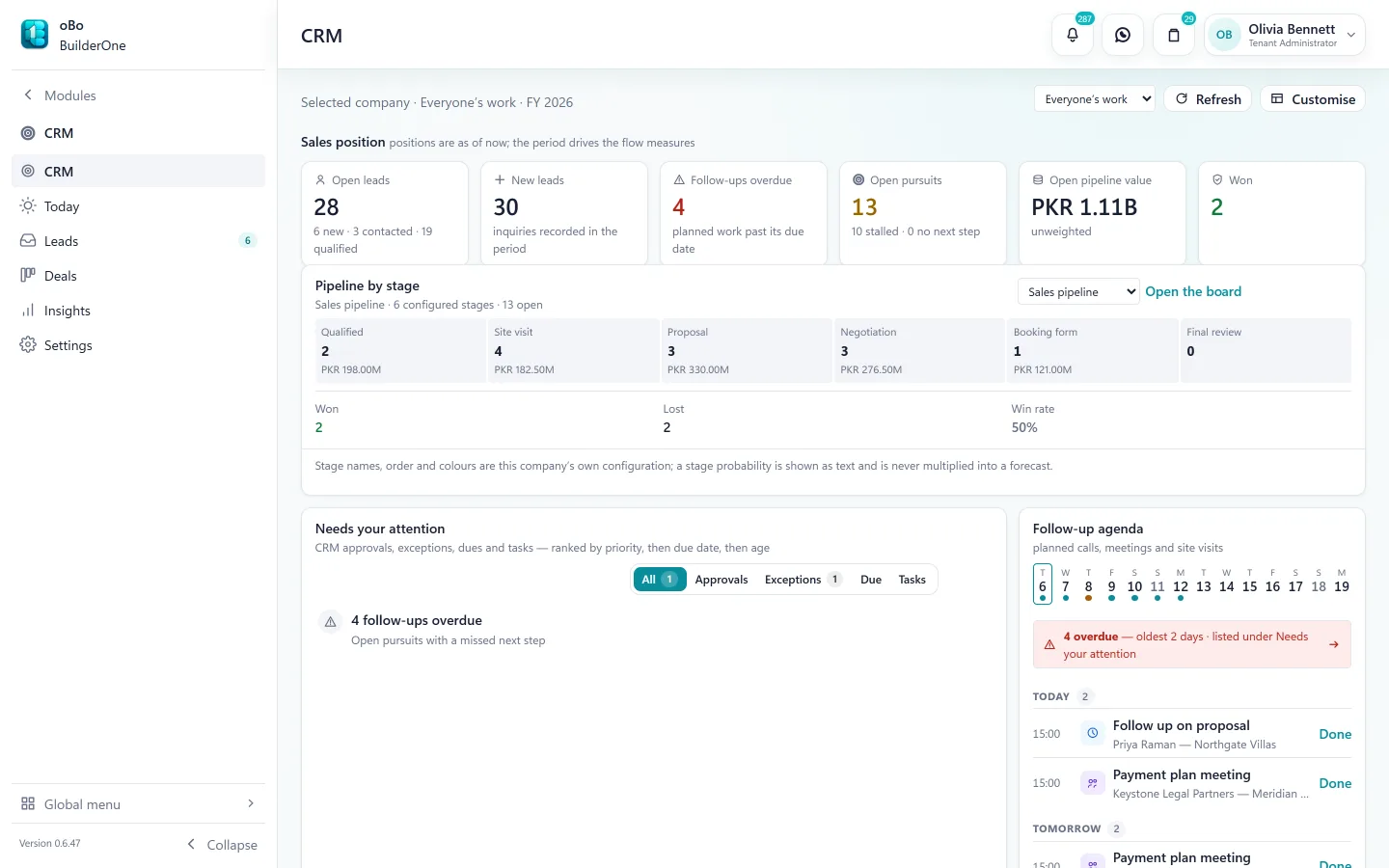
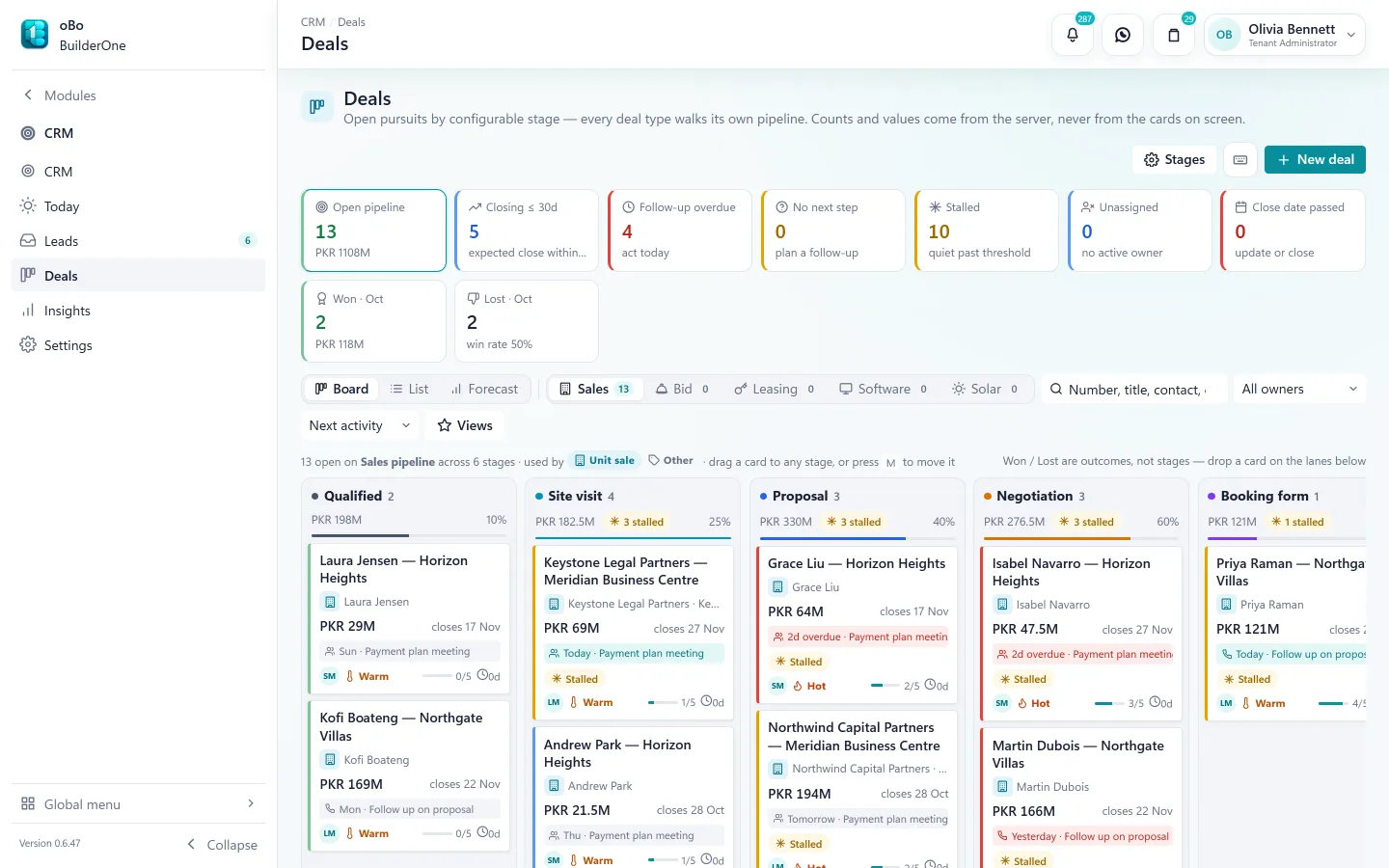
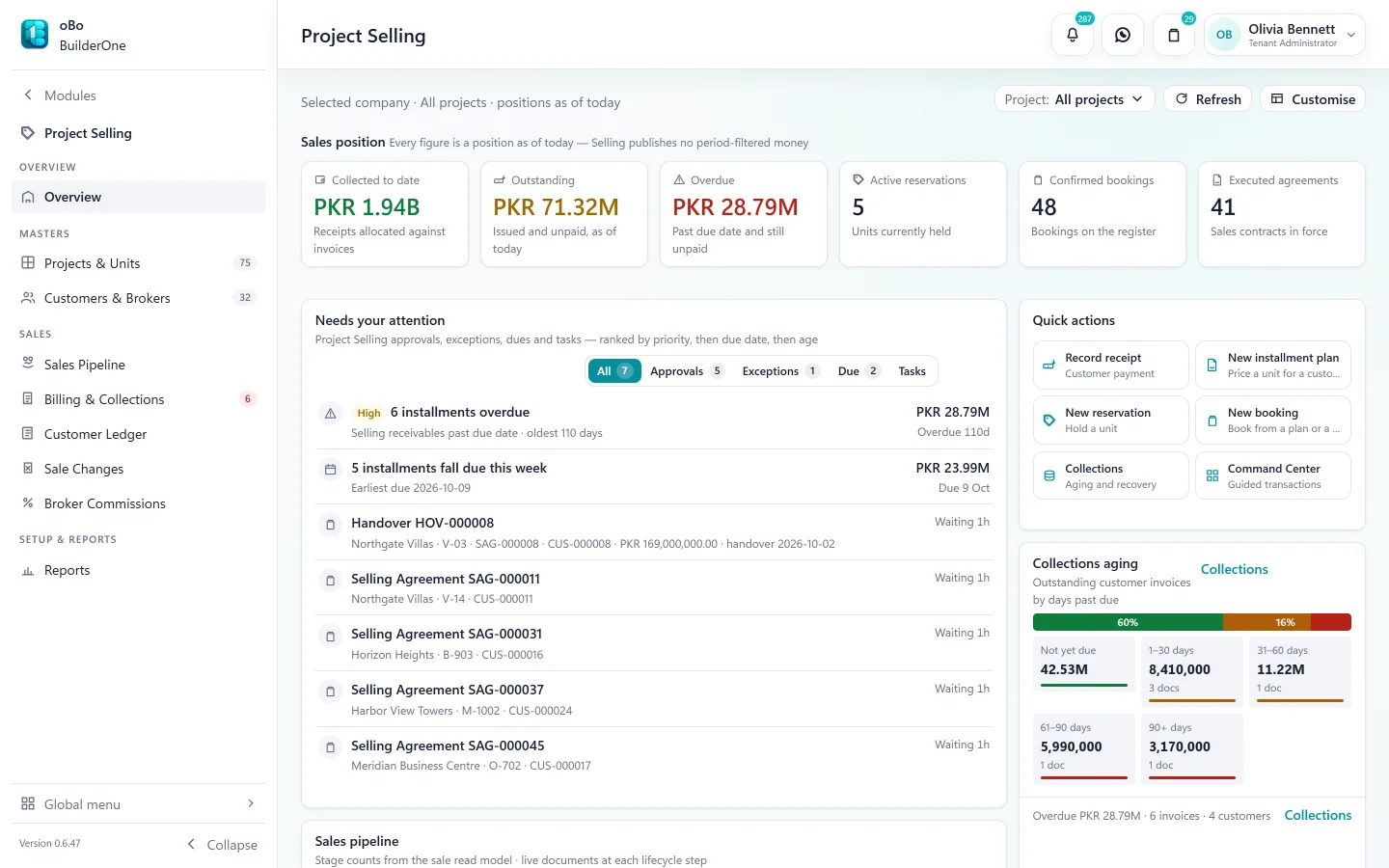
The CRM screens your team works in
Capabilities
What CRM covers
Lead capture
Leads from your website form, a spreadsheet (CSV) import or entered by hand — each against the shared contact directory.
Duplicates and assignment
Possible duplicate leads — same phone, email or name — are flagged before a lead is created, and a lead can be linked to an existing contact; assignment rules route new leads to the right person.
Pipelines and stages
Deals move through pipelines you configure — stage names, order and colours are your company’s own.
Today and follow-ups
Calls, meetings and site visits as scheduled activities with an owner and a date; overdue follow-ups surface on the landing page.
Proposals and targets
Proposals against a deal, sales targets per salesperson, and a forecast from the open pipeline.
Insights
Conversion, win rate, pipeline value and team workload — answered from the same records the team works in.
Hand-off, not re-entry
A won deal creates the customer in Project Selling, the tender in Construction or the tenant in Rental. It does not create a booking for you: the sales team still holds and books the unit.
Shared contacts
The person who enquired is the same contact who later signs, pays and receives statements.
Reports
Registers and statements included
All exportable to Excel and PDF, or printed.
- Lead register
- Opportunity register
- Activity register
- CRM record registers
Works with
- Project Selling — won sales deals continue as customers
- Construction — won bids continue as tenders
- Rental — won lettings continue as tenants
- Contacts — one shared directory for every party
- WhatsApp — message a lead’s or deal’s contact from the record
Straight answers
Questions buyers ask us
Specific to CRM.
Does winning a deal book the unit?
No. A won deal creates the customer in Project Selling with the history attached; the unit is then held and booked there, so inventory is only ever changed in one place.
Can leads come straight from our website?
Yes. Website form submissions arrive as inbound inquiries for triage, alongside Excel imports and leads entered by hand.
Does the CRM send emails or SMS?
No. BuilderOne does not send email or SMS. Documents and reminders can be shared on WhatsApp.
Can we run more than one pipeline?
Yes. Deal types each have their own pipeline and stages — for example unit sales and rental lettings.
See BuilderOne running on a business like yours
A walkthrough of about half an hour with the team that builds it — on your kind of projects, units and billing, not a canned slideshow.
- Tell us what you run. Four fields — it takes under a minute.
- We get back to you to arrange a time that suits you.
- We walk through your workflow — sale, rent, site or books — in the real product.